
How to Use the Integrations Hub
See every channel and third-party integration for your organization in one place, check connection status, and jump to setup.
The Integrations page is the organization-wide view of how ChatFlow connects to the outside world: your messaging channels, email, and the website widget. It is where you check what is connected at a glance and jump off to set anything up.
Who can use this
The Integrations page is available to Admins and Owners only.
Org-wide vs per-chatbot
This page summarizes integrations across the whole organization. The actual connecting happens on each chatbot (or in Connections for APIs). Use this page to see status; use the linked guides to make changes.
Open Integrations
Select Integrations in the sidebar (under DEVELOPER TOOLS).
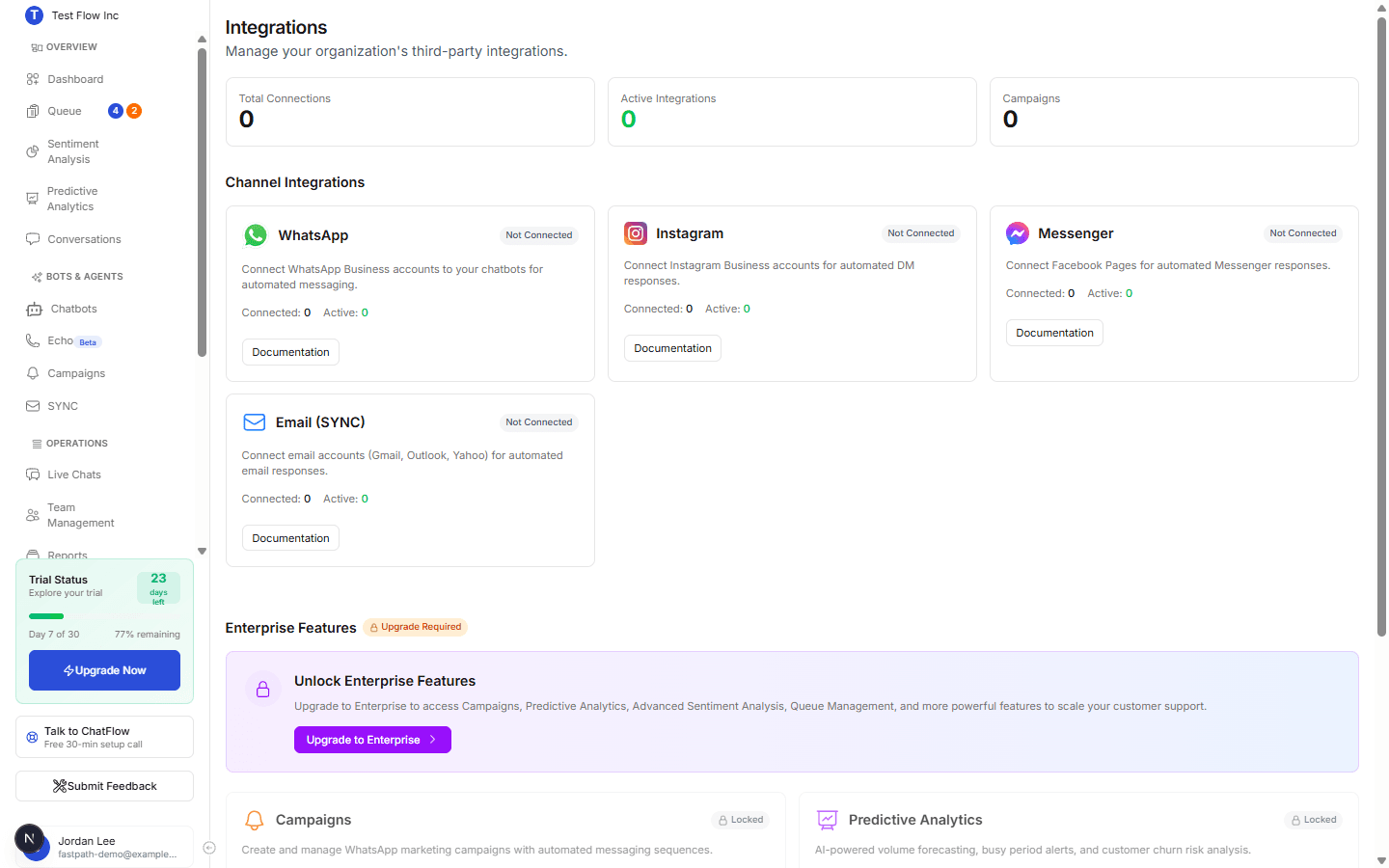
What's on the page
Summary
The three counters at the top show Total Connections, Active Integrations, and Campaigns so you can see overall connectivity at a glance.
Channel Integrations
A card for each channel, WhatsApp, Instagram, Messenger, and Email (SYNC), shows whether it is Connected, how many accounts are connected and active, and a Documentation link to set it up. Connect each one from its guide:
Enterprise Features
Features such as Campaigns, Predictive Analytics, Sentiment Analysis, and Queue Management appear here. On lower plans they show as Locked with an Upgrade link; on Enterprise they unlock.
Website Embed
A shortcut to the embed guide for adding the chat widget to any site (Wix, WordPress, Magento, and more). See Publish Your Chatbot for the snippet.
Verify it's working
- Connect a channel using its guide above, for example WhatsApp.
- Return to Integrations and confirm that channel's card now shows Connected and the Total Connections count goes up.
Troubleshooting
A channel shows "Not Connected" after I set it up
Connections are per chatbot. Confirm you finished the channel's setup on a chatbot and that it saved, then refresh this page. Open the channel's guide if the connection did not complete.
Enterprise features are locked
Those features require the Enterprise plan. See Subscription settings to compare plans and upgrade.