
How to Connect Instagram
Connect your chatbot to Instagram so it answers Direct Messages from customers automatically.
Before you begin
Connecting Instagram lets your chatbot reply to Direct Messages automatically, so customers get answers in their DMs without you watching the inbox.
A Facebook Page is required
Meta requires your Instagram Business (or Creator) account to be linked to a Facebook Page for messaging to work. If you see "Instagram Business Account Not Found" after authorizing, your accounts are not linked. If you only have a Facebook Page, connect Messenger instead.
Before you begin
- Your Instagram must be a Business or Creator account, not personal. Switch it in the Instagram app under Settings, Account type and tools.
- That account must be linked to a Facebook Page (in your Facebook Page settings, under Linked accounts).
- Instagram is available on the Growth and Enterprise plans.
Connect in ChatFlow
- Go to Chatbots in the sidebar and open your chatbot.
- Click the Integrations tab.
- Find Instagram and select Connect Instagram.
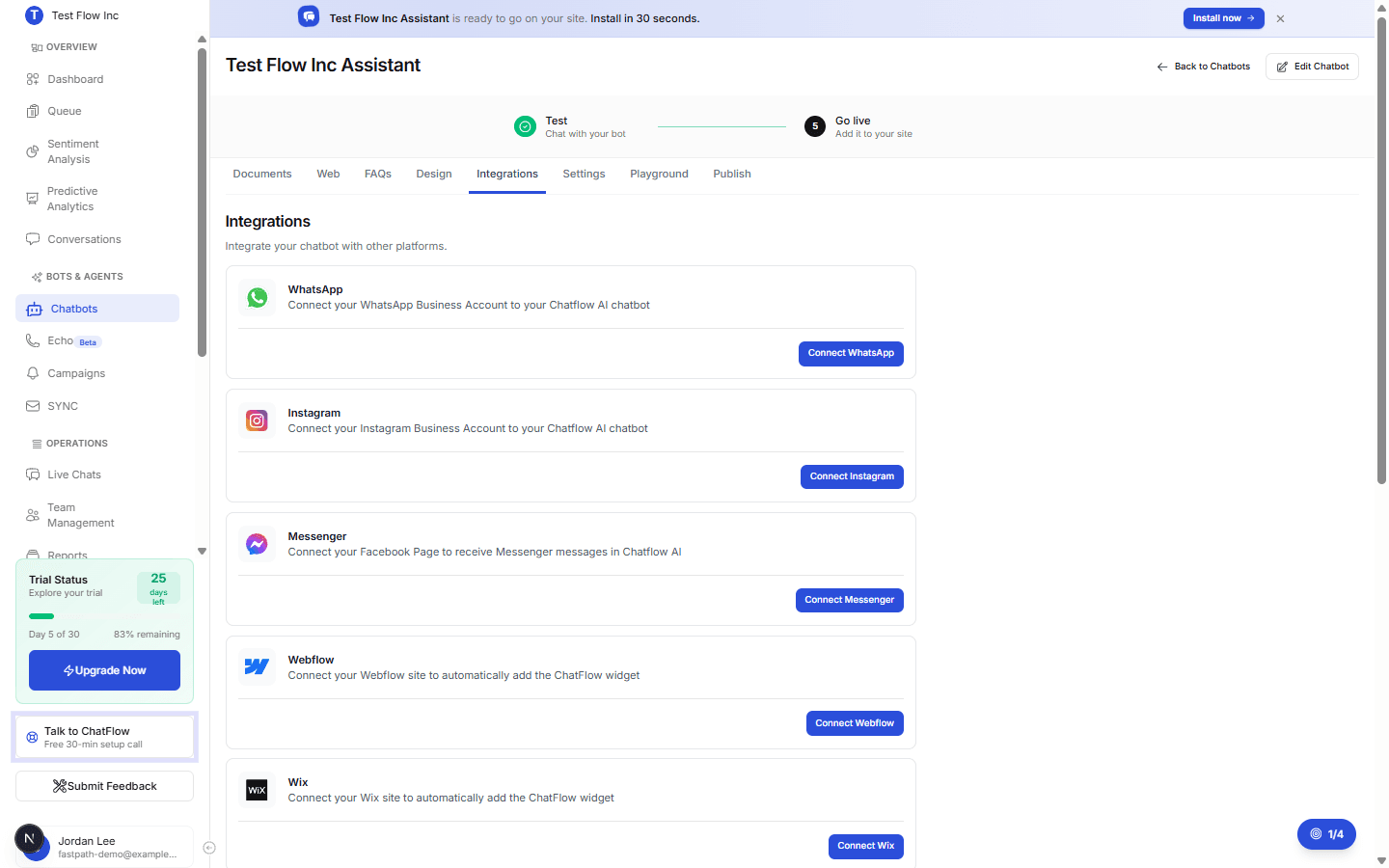
Select Connect with Facebook
The Quick Setup with Facebook window lists what happens next. Select Connect with Facebook.
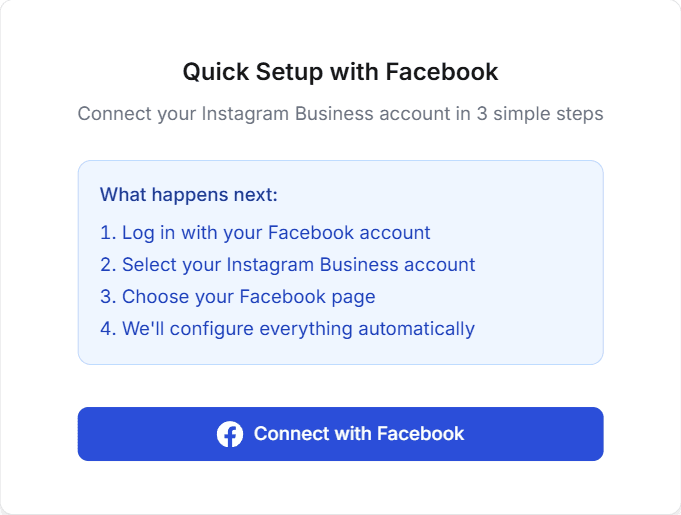
Log in and choose your account
In the Facebook popup, log in, select your Instagram Business account, select the Facebook Page it is linked to, and approve the messaging permissions.
Wait for Integration Complete
ChatFlow configures everything automatically. When you see Integration Complete! with your Instagram username and an Active status, you are connected. Select Done, or Test Integration to try it in the Playground.
Prefer to watch?
The Instagram integration guide has a short video of the whole setup.
Verify it's working
- From a different Instagram account, send a DM to your Business account.
- Confirm the chatbot replies automatically.
- Open Conversations in ChatFlow and confirm the Instagram message appears.
Troubleshooting
The popup was blocked
Allow popups for chat-flow.app in your browser, then try again.
"Authorization window closed"
The Facebook popup closed before the connection finished. Select Connect Instagram and go through the popup again.
My Instagram account does not appear
Make sure it is a Business or Creator account (not personal), that it is linked to a Facebook Page, and that you are logged into the correct Facebook account.
Messages are not coming through
Confirm the integration shows as connected and that your chatbot has training content to answer from.