
Queue Overview Tab
See customers waiting for an agent, assign them to someone available, and read live agent availability.
Before you begin
Queue Overview is the default tab on the Queue page. It shows who is waiting and lets you hand each customer to an available agent.
Live Queue
The Live Queue lists customers currently waiting for a human, in the order they will be served.
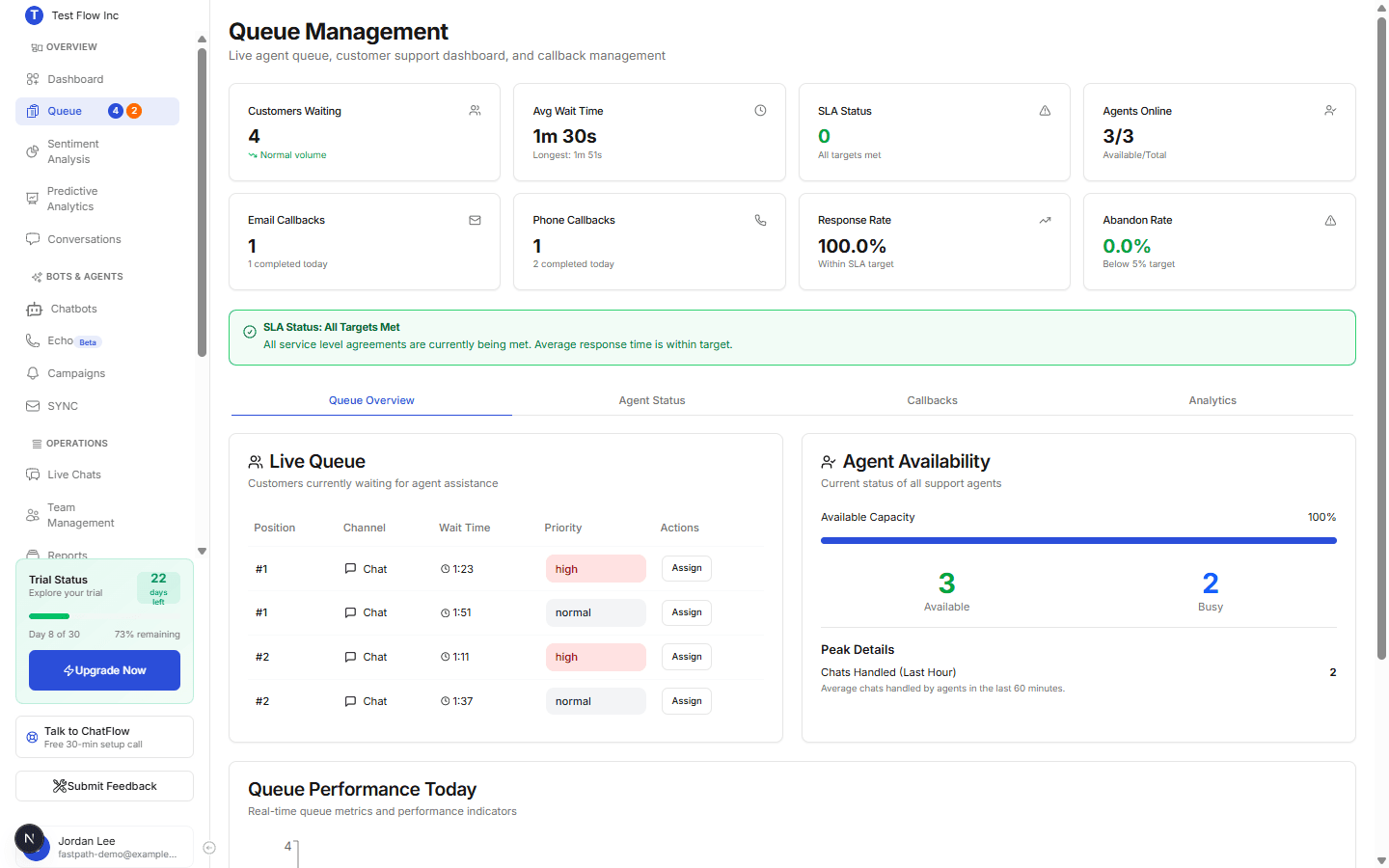
| Column | What it shows |
|---|---|
| Position | Place in line (#1 is served next). |
| Channel | Where the customer is chatting (web, WhatsApp, and so on). |
| Wait Time | How long they have been waiting. |
| Priority | How urgent the entry is. Callbacks are prioritised over plain waiters. |
| Actions | The Assign button. |
Assign a waiting customer
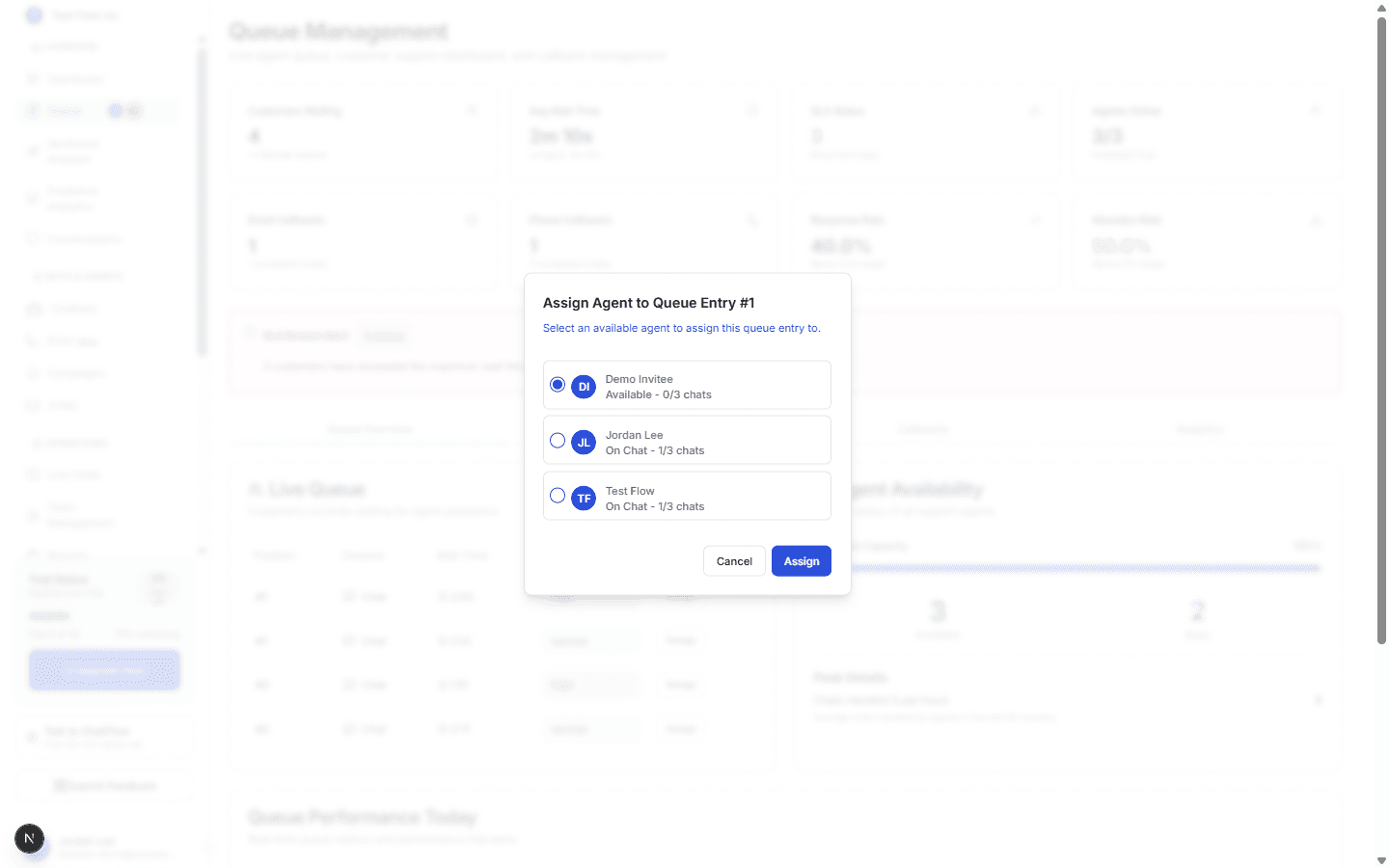
Select Assign
On the customer's row, select Assign. A window opens listing agents who can take the chat.
Pick an available agent
Choose an agent (the list shows who is available and has capacity) and confirm. The customer is connected, the entry leaves the queue, and Customers Waiting drops.
Who can assign
Assigning is available to Account Managers and above. Agents must be Available and under their chat limit to appear as assignable. Supervisors can force-assign past an agent's limit when needed.
Agent Availability
The Agent Availability panel on the right summarizes your team at a glance: a capacity bar, how many agents are Available versus Busy, and how many chats were handled in the last hour. For per-agent detail and on-the-fly capacity, use the Agent Status tab.
Queue Performance Today
Below the queue, a live chart tracks waiting, served, and abandoned customers by hour, so you can see how the day is trending.
Verify it's working
- Request a human from the Playground or your widget.
- Confirm the customer appears in the Live Queue.
- Select Assign, pick an agent, and confirm the row clears.
Troubleshooting
No agents appear when I try to assign
Agents must be set to Available and be under their chat limit. Check the Agent Status tab and Manage Agent Settings. Supervisors can override capacity.