
Lead Generation
Capture visitor details and qualify leads through conversation, then review and export them.
Turn website visitors into leads by collecting their details right in the chat.
Key benefits
- Capture contact info without a clunky form.
- Qualify leads by asking the right questions in conversation.
- Hand off to sales with the context already gathered.
How ChatFlow does it
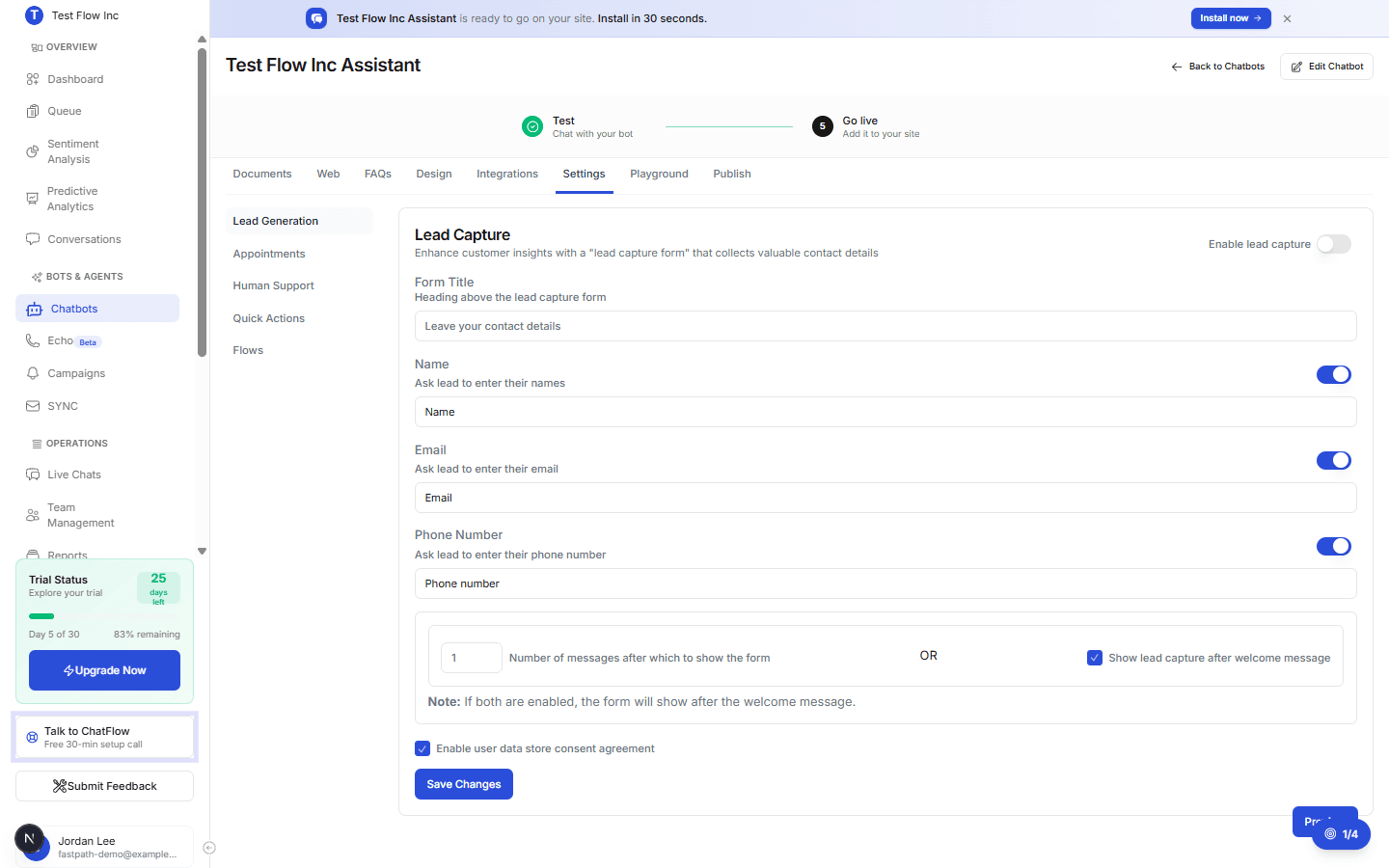
ChatFlow shows a short lead form at the moment you choose, asks for a name, email, or phone, and stores every submission in your Leads list so you can review and export.
What you can configure
- Which fields to collect (name, email, phone) and the form title.
- When the form appears, after a set number of messages or after the welcome message.
- A consent agreement before details are stored.
Set it up
- Configure lead capture.
- Create conversation flows to guide the conversation toward a lead.
- Review captured leads under Leads, and read the full chats in Conversations.
Related
How to Configure Lead CaptureCollect visitor names, emails, and phone numbers in the chat with a lead capture form, and choose when it appears.How to Create Conversation FlowsSet always-on behavior rules, custom rules, and flow instructions that guide exactly how your chatbot handles conversations.How to View ConversationsReview your complete chat history, filter by date, status, and platform, and open any conversation to read the thread and its Information, Sentiment, Audit, and Profile tabs.Enhanced Customer SupportPrevious pageE-commerce OptimizationNext page