
How to Use Sentiment Analysis
See how customers feel across their chats, track sentiment, CSAT, and resolution rate, and act on the conversations that need attention.
Before you begin
Sentiment Analysis shows you how customers actually feel, not just how many chats happened. It tracks overall sentiment, satisfaction (CSAT), and resolution rate over time, and lets you act on the conversations that need a follow-up.
Plan availability
Sentiment Analysis is available on the Growth and Enterprise plans, and during the free trial. It needs conversations to analyze, so a brand-new account has nothing to show yet.
Open Sentiment Analysis
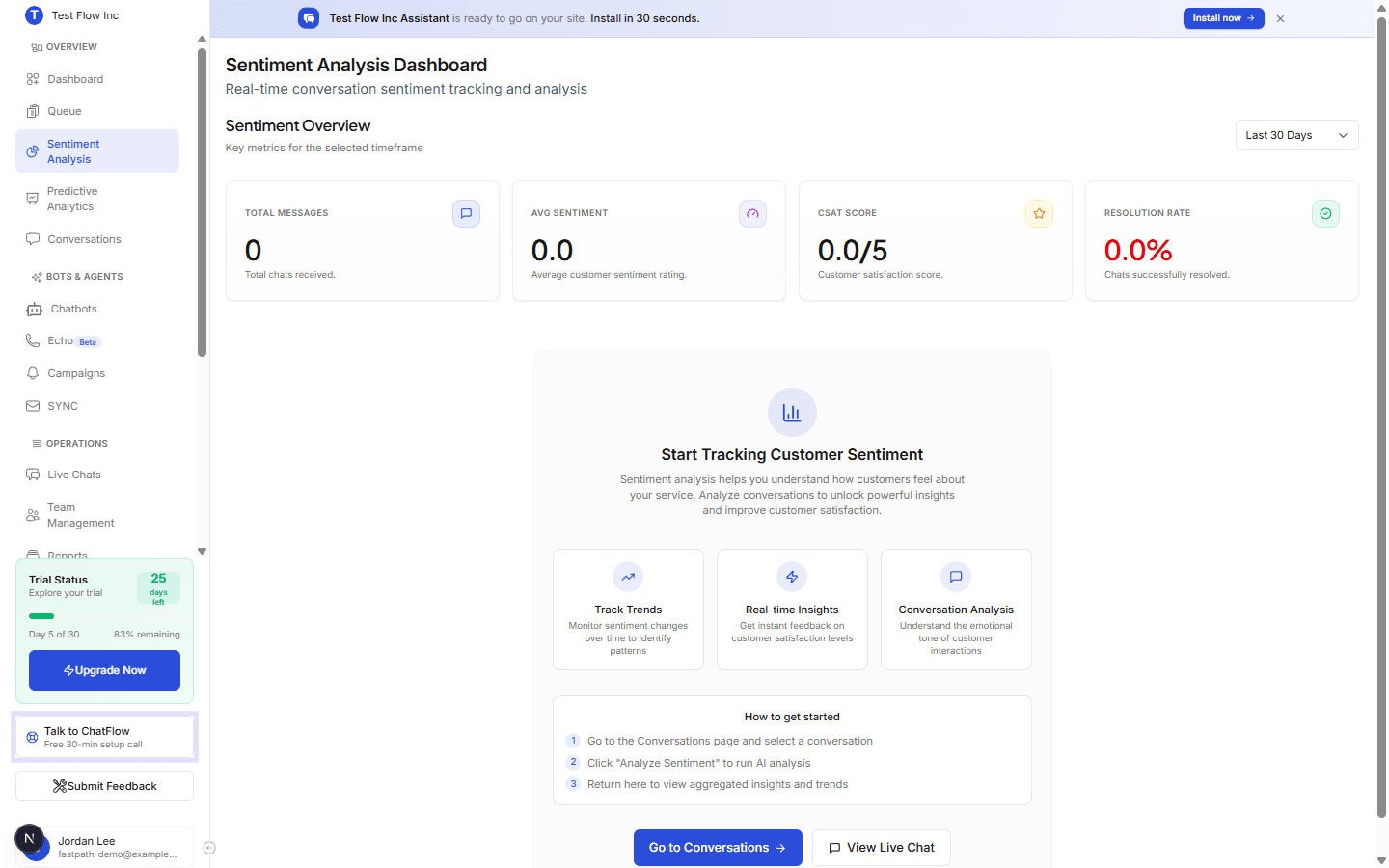
Select Sentiment Analysis in the sidebar (under OVERVIEW). Use the timeframe dropdown (24 hours through All Time) at the top right to set the period.
What you see
Across the top, four cards summarize the selected period:
| Metric | What it shows |
|---|---|
| Total Messages | How many chats were received. |
| Avg Sentiment | Average customer sentiment, out of 5. |
| CSAT Score | Customer satisfaction, out of 5. |
| Resolution Rate | The share of conversations resolved. |
Below the cards you get trends over time, a positive/neutral/negative breakdown, and a list of recent conversations you can open.
Get started
Sentiment is calculated per conversation:
Open a conversation
Go to Conversations and select one.
Analyze it
Run Analyze Sentiment on the conversation.
Return for the big picture
Come back to the Sentiment Analysis dashboard to see aggregated insights and trends build up as you analyze more conversations.
Act on a conversation
From a conversation in the dashboard, you can Schedule Follow-up (pick a date, time, notes, and assignee), Escalate Issue (which becomes a high-priority follow-up), or Export Transcript. Scheduled follow-ups and escalations show up on the Follow-ups page.
Verify it's working
- Change the timeframe and confirm the cards and charts update.
- Analyze a conversation, then confirm the Total Messages and sentiment numbers reflect it.
- Schedule a follow-up from a conversation and confirm it appears on the Follow-ups page.
Troubleshooting
Everything shows 0
There is nothing to analyze yet. Make sure your chatbot is published and getting conversations, then run Analyze Sentiment on a few of them.
The numbers do not match what I expect
Check the timeframe dropdown and any platform filter. Sentiment only reflects conversations that have been analyzed in the selected period.